Your Brand
Our System
Your Clients
Give your clients a panic button that carries your logo, worked from your own control room.
White-label panic button software for South African security companies, estates and villages. Your clients press SOS on their phone. Your control room sees who and where, and your operator works every alert through to resolved.
No hardware to buy, no setup fee, month to month. Everything you see on this page is the live platform, not a mock-up.
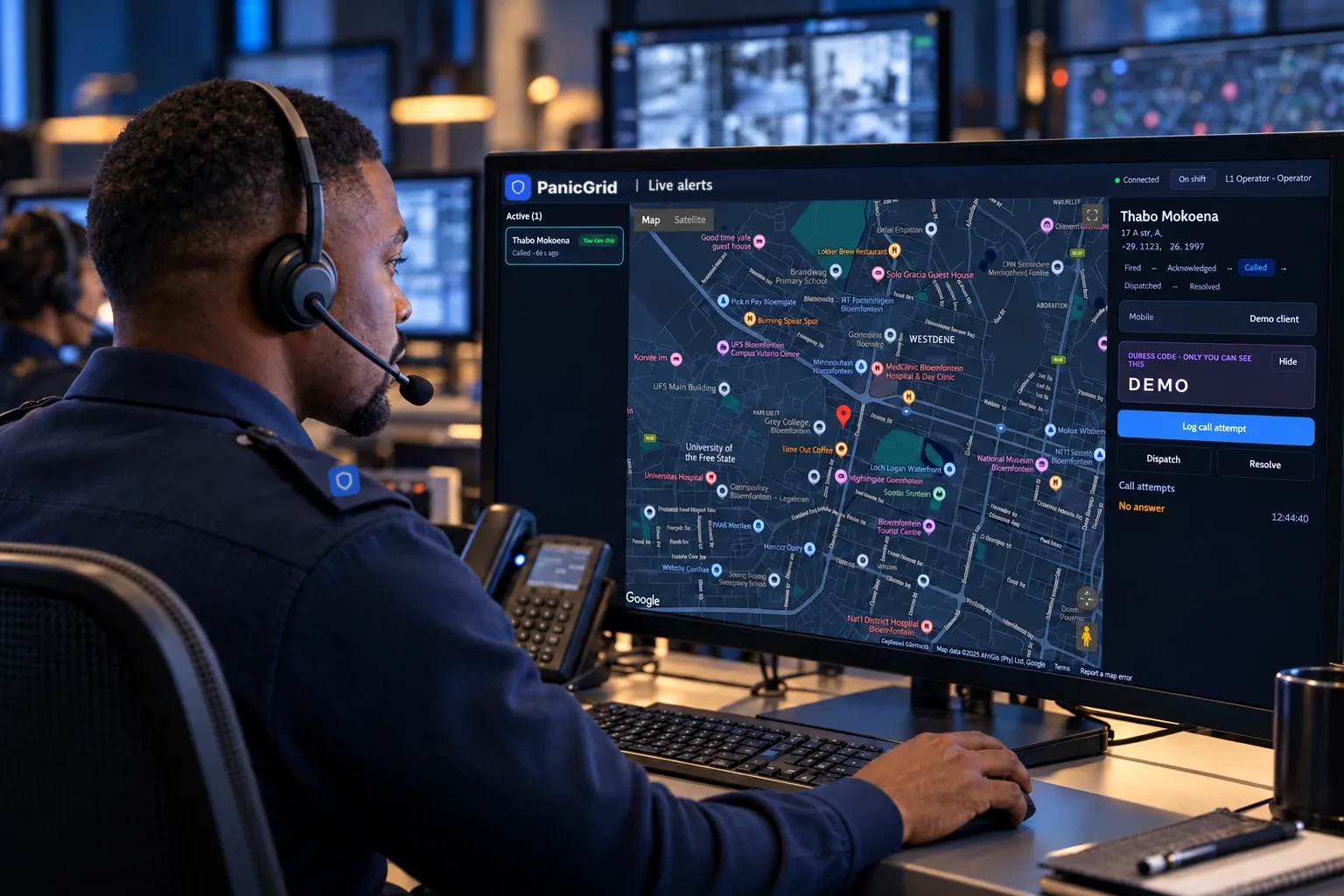
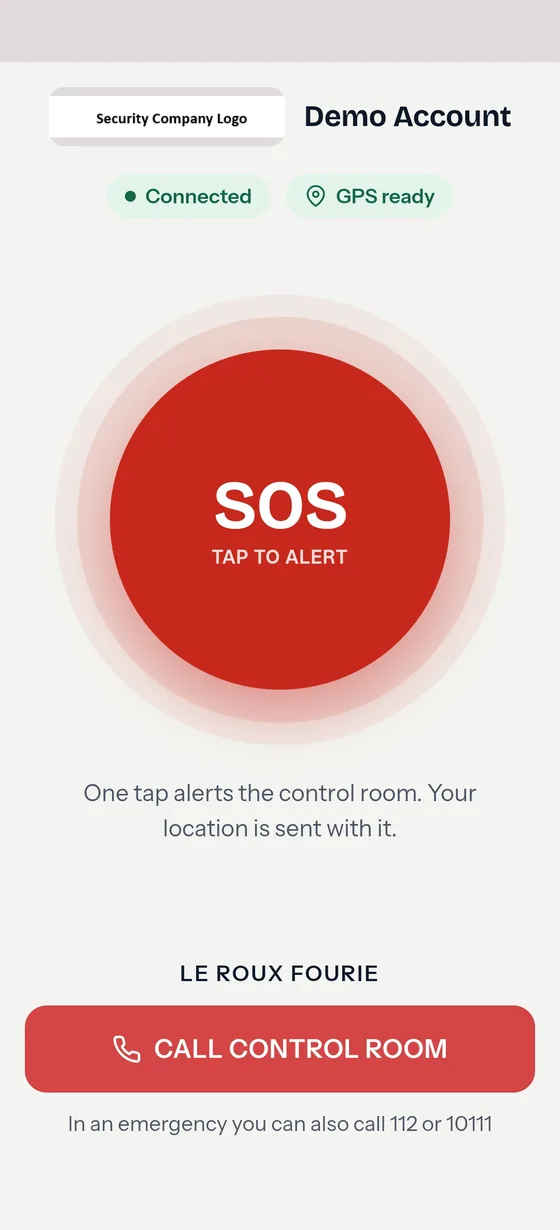
The real console and app, shown with a demo account.
Interactive demo
Press the button. Work the alert.
Send an SOS from the resident’s phone, then handle it on the control-room screen the way your operator would. These are real screens from the platform. No real alert is sent.
1Your client’s phone
2Your control room
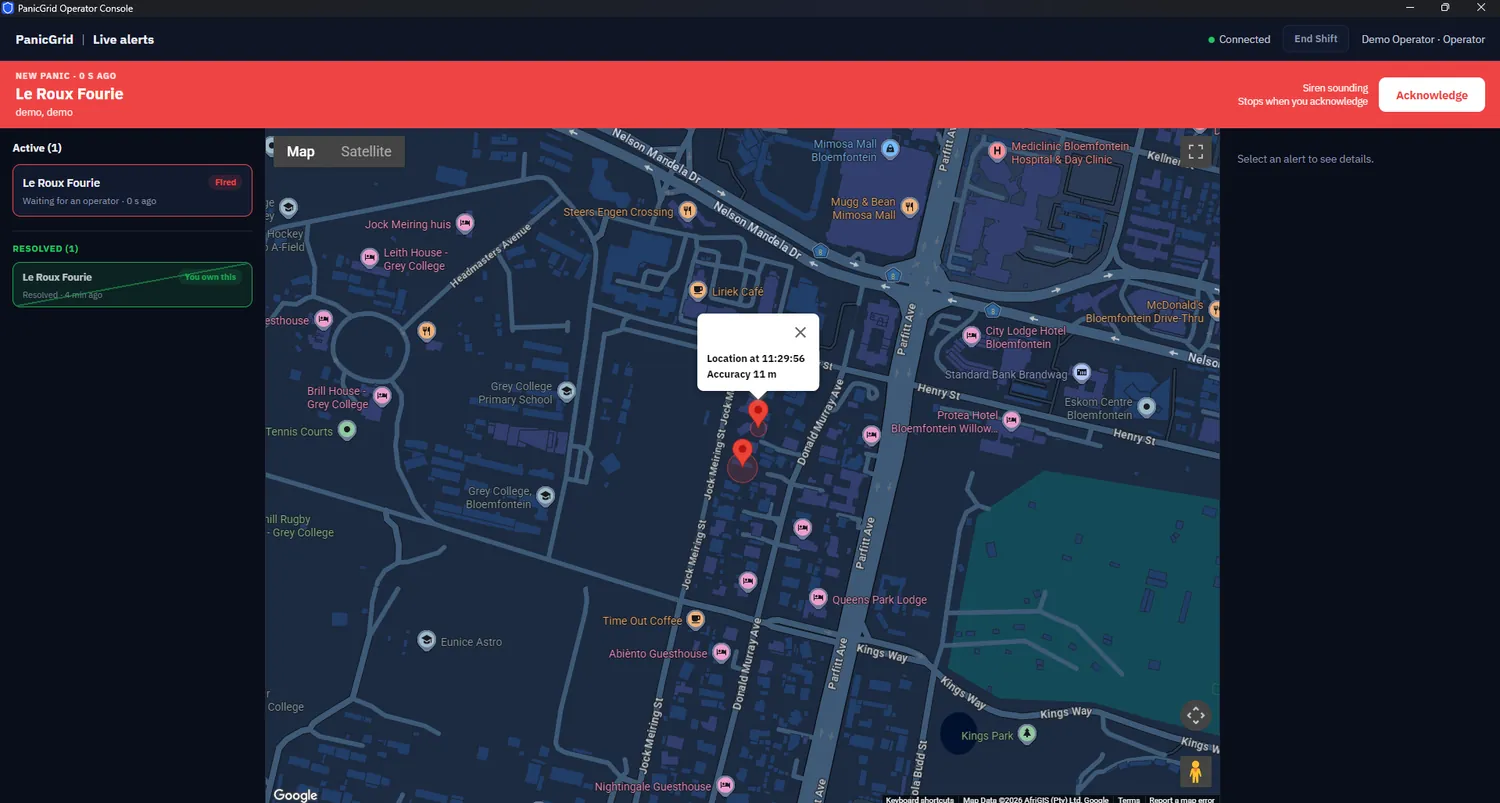
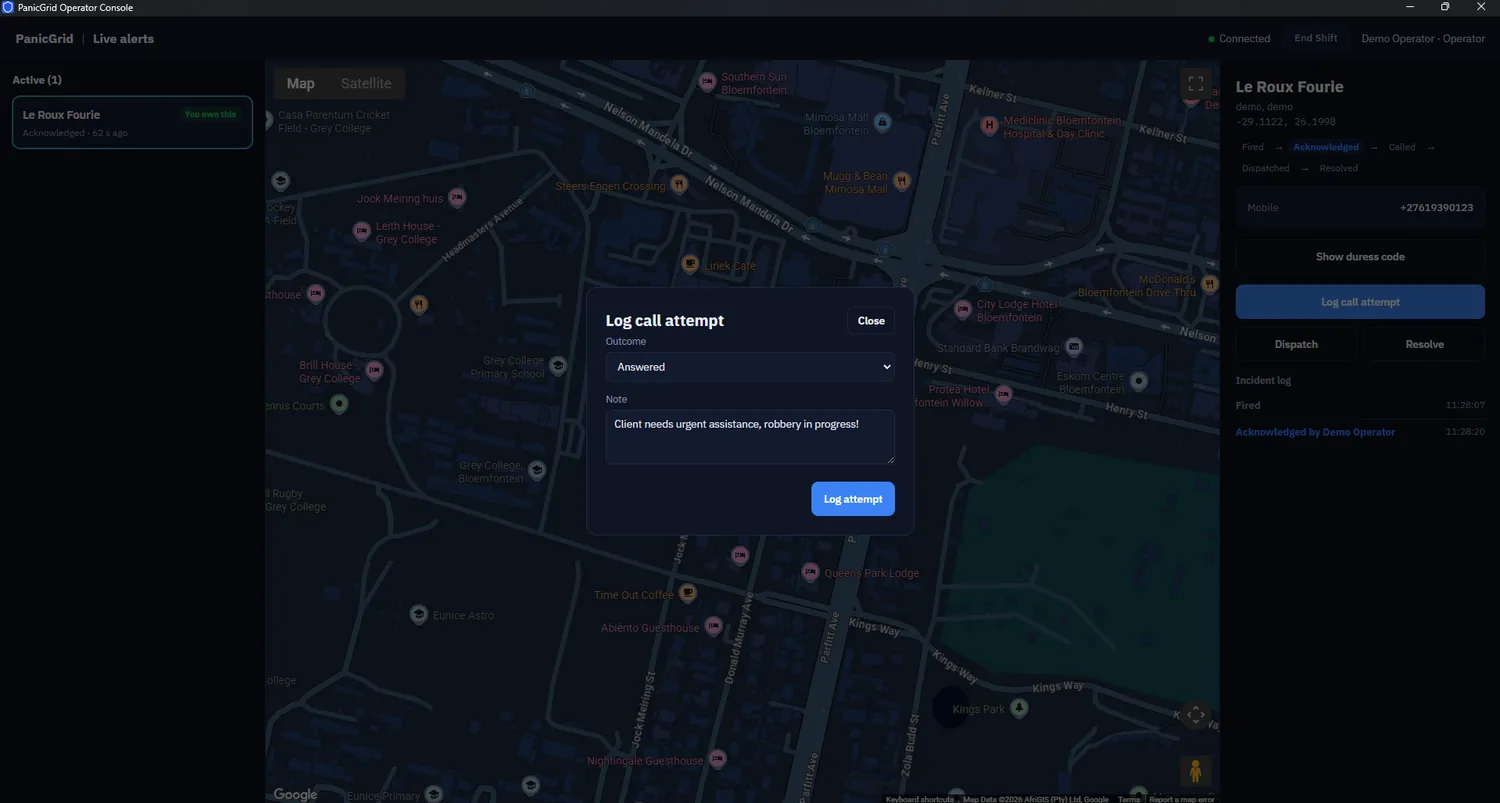
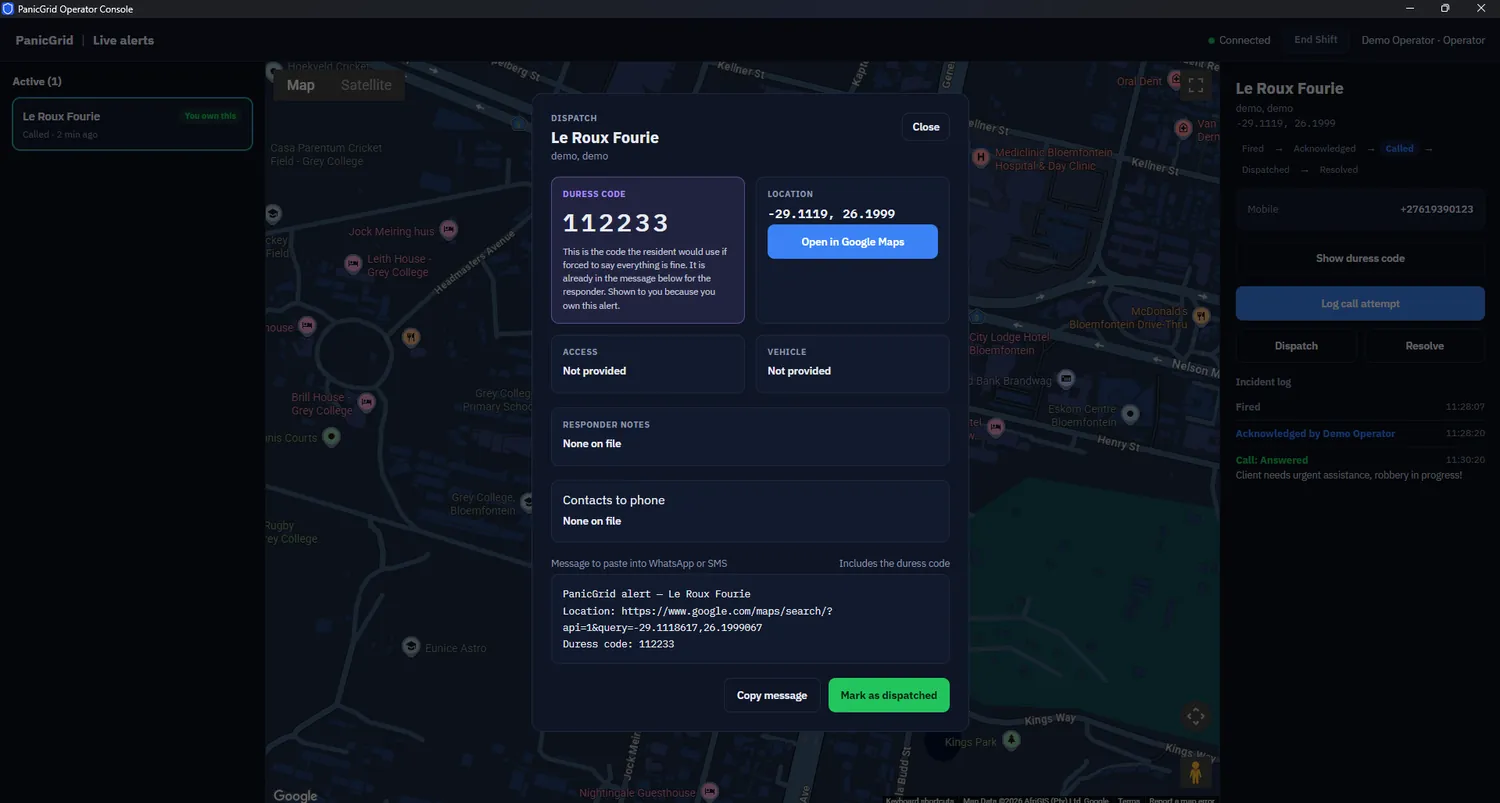
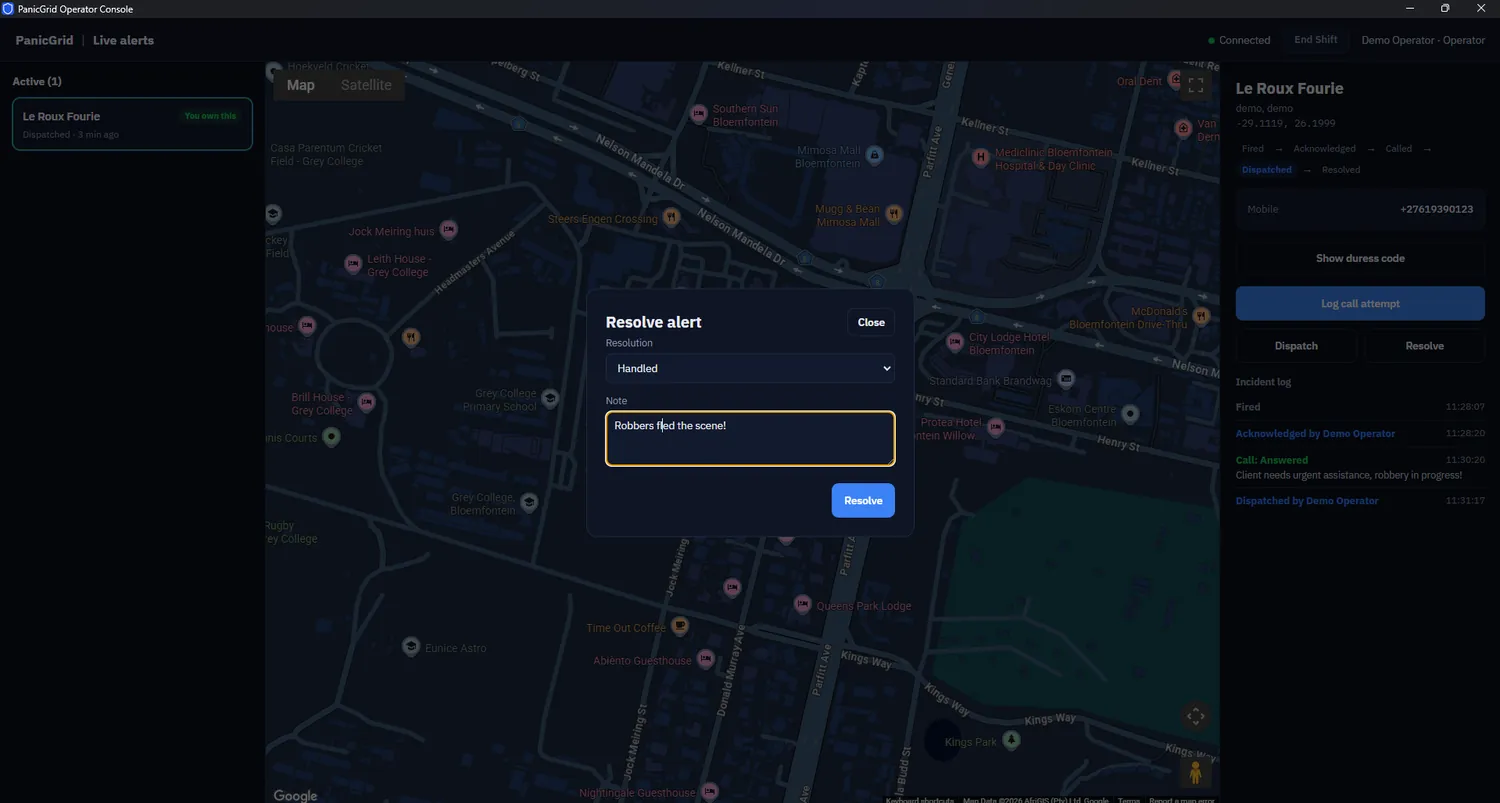
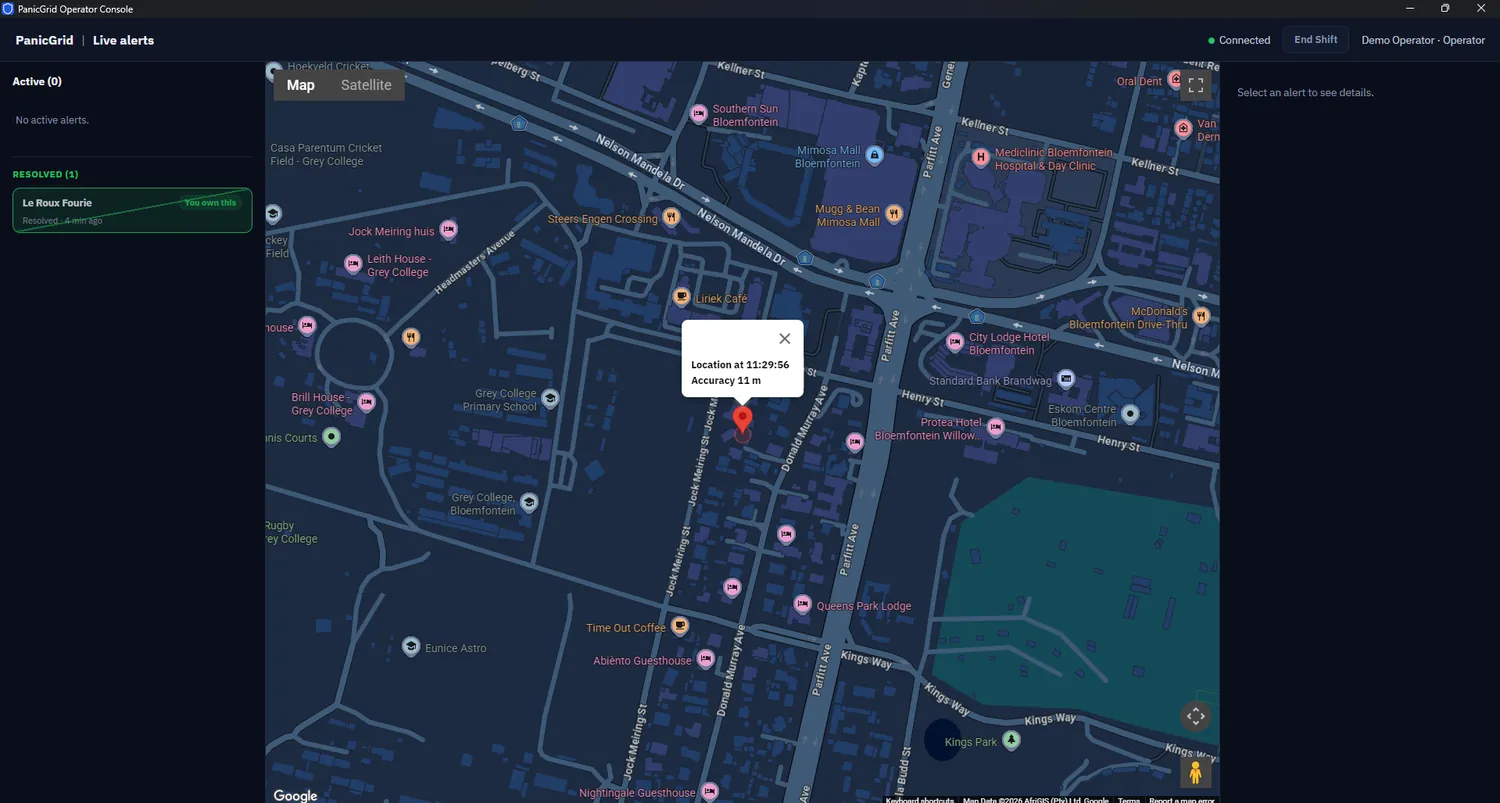
From one tap to a closed incident.
These are the screens your operators work in. Pick a stage to see what they see.
Live console screens, shown with a demo account. Click a screen to enlarge it.
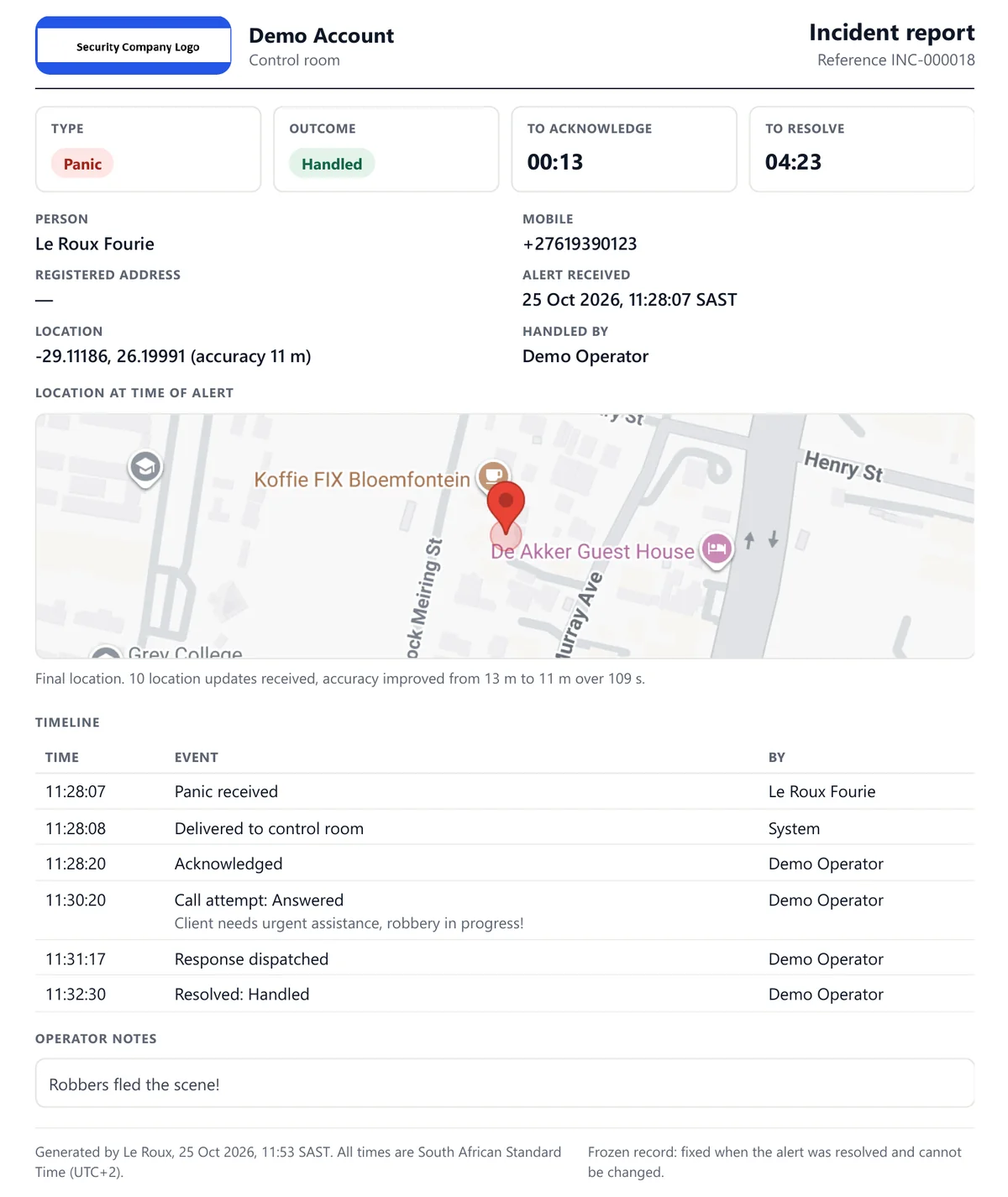
Every alert ends in a report.
When an operator closes an alert, PanicGrid writes up the incident for you: who raised it, where they were, who handled it, and every step in between. Your clients can open theirs from their own account.
- A time and a name against every step, from panic received to resolved
- The resident's position on a map, with how the accuracy improved as their phone settled
- Time to acknowledge and time to resolve, right at the top
- Your logo and company name, ready to print or save as a PDF
- A frozen record: once the alert is resolved, the report cannot be changed
White-label panic button
Your name on the button.
Your control room on the call.
Your clients open an app that carries your company’s identity, with a direct line to your control room one tap below the panic button. Try it below.
PNG only. A transparent background lets your colour show through. Stays on your device in this preview.
Fills the tile behind your logo and tints the phone’s top bar.
The screen behind your logo and SOS button. Text switches light or dark automatically so it always stays readable.
Add a number and a call button appears on the phone.
- ✓Your logo and company nameShown at the top of the panic screen your clients open.
- ✓Your brand colourFills the tile behind your logo and tints the phone’s browser bar.
- ✓Your panic screen backgroundLight or dark, your choice — the text stays readable automatically.
- ✓A direct call to your control roomOne tap below the panic button. Leave it blank and the button simply isn’t shown.
- ✓You stay in charge of the accountSwitch a client’s button off and they see a clear “service suspended” screen.
The SOS and call buttons keep a fixed red so they are recognisable in a crisis, whatever colour you choose.
Your client’s phone
One tap alerts the control room. Your location is sent with it.
Help has been notified. Keep this screen open so your location keeps improving.
☎ CALL CONTROL ROOMYour panic button is off
Your service provider has suspended this account, so alerts cannot be sent from this app. Contact them to switch it back on.
☎ CALL CONTROL ROOMLocation that keeps improving
The first fix is rarely the best one. The phone keeps sending better location for about two minutes after the press.
A full response trail
Fired, acknowledged, call attempted, dispatched, resolved, each step timestamped per alert.
Run every client site your way.
A client is not just a name on an invoice. Each one is its own branded site under your account — its own admin, its own people, and a real choice about who actually responds.
Your operators only
You watch and respond. The client sees every alert on their own board, but only your side can act on it.
Their operators only
The client runs their own control room. You can still see everything that happens — you just don’t have to staff it.
Whoever’s watching first
Either side can respond. Whoever acknowledges first takes the alert through to resolved — good for a client building up their own team without a hard cutover.
Add as many client sites as you need under one account — no limit on sites themselves, just on how many people carry a panic button (see pricing below). Suspend one that hasn’t paid and their button switches off immediately, with your branding still on the notice, not ours.
Built for the people in the control room.
The board is where a panic is won or lost, so it is built around what an operator actually needs in the first minute.
A live board that gets your attention
New panics sound a siren and show on a map with the resident's position and accuracy. If the map ever fails to load, the cards, siren and dispatch text keep working.
Operators act, managers watch
Only operators can work an alert. Your admins, and your clients' admins, get a view-only board so they can see what is happening without touching it.
A duress code for every resident
Set when you onboard a client, shown to the operator during the call and passed to the responder, so an all-clear under pressure can be checked on arrival.
An incident report for every alert
Timestamps, call attempts, outcome and map, ready to share with the client. Test alerts get a report too, marked as tests and left out of your response stats.
Your clients, your rules
Add as many client sites as you like under one account. Suspend one that has not paid and their button switches off, with your branding on the notice.
An audit trail you can show
Every action is logged. When PanicGrid support helps you, it is clearly marked as support access, never hidden.
Who uses PanicGrid.
Anyone who already has people ready to respond and wants a better way to be told that someone needs them.
Security companies
Add a branded panic button to the armed response and monitoring you already sell. You set what your clients pay and keep the recurring revenue. This is where PanicGrid fits best.
Estates and complexes
Residents get a clear way to alert the security team you already use. Ask your security company to put you on PanicGrid, or get in touch and we will point you to one that is.
Retirement villages
No panic hardware to buy or install, so a village that cannot justify the cost of a wired system can still give residents a button. The resident presses the button and you get their GPS location.
Neighbourhood watches and CPFs
Enrol members under a local security company so alerts go to people who are set up to respond. Agree who monitors, who attends and what members pay before you launch.
And more
Schools, small retail, lone workers, places of worship and drivers all fit the same pattern: a person who needs help and a team that can send it.
Good to know before you sign up.
- PanicGrid does not dispatch anyone. Your control room, or the organisation you name, monitors and responds. An alert is a notification, not a guaranteed response time.
- Residents need a smartphone, data and location permission. Position accuracy depends on the phone and where it is.
- It is a manual panic button. The resident presses SOS and your control room receives the alert with their GPS location.
- Hardware panic buttons are not connected yet. PanicGrid is software-only for now.
One flat monthly price. Published.
Pick the package your users fit into and pay that price. There is no per-block maths and no setup fee. Everything below is per month, in rand, including VAT.
| Users covered | Per user at the limit | Price |
|---|---|---|
| R25.00 | R1,250.00 /month | |
| R21.50 | R2,150.00 /month | |
| R13.34 | R2,667.50 /month | |
| R10.43 | R3,127.50 /month | |
| R8.83 | R3,530.00 /month | |
| R7.75 | R3,875.00 /month | |
| +R5.00 per extra user | R3,875.00 /month + overage | |
| Each package covers all your users up to its limit. You pay the one price, not a price per block. Click a package to try it in the calculator. | ||
What could it earn you?
An illustration, not your profit. It assumes one user per paying client and that every client pays. It leaves out staff, response vehicles, fuel, marketing, payment fees and tax. The package price includes 15% VAT, so enter your client price on the same basis.
Every package includes
- The client panic button with live GPS location
- The live monitoring board for your control room
- Your own logo and control-room number
- An incident report for every alert
- As many client sites as you need under your account
The terms
- Billed monthly in advance from your activation date
- Month to month. A package is non-refundable once bought
- Upgrades start immediately and are pro-rated. Downgrades start next cycle
- Integrations are quoted separately
Questions we get asked.
How do residents get the panic button on their phone?
Today residents open a link and add PanicGrid to their home screen on Android or iPhone, and we walk them through it. Dedicated apps are planned for the future.
How quickly can we go live?
There is no setup fee and no hardware to wait for. Getting started takes six steps:
- Send us your details. Your company name, the contact person and an email address.
- Get your activation link. We email it to you, or send it on WhatsApp if you prefer.
- Create your password and log in.
- Complete your business details inside the system.
- Download the contracts, sign them and upload them for review.
- Pay the invoice and go live. We review your signed contracts and send your invoice with the signed copies. Once payment is received, your system goes live.
Can we set our own prices for our clients?
Yes. PanicGrid bills you for your package. What you charge your clients, how you collect it and what your monitoring and response include is up to you.
What does our control room need?
A computer for each operator to run the live board, an internet connection, and the phone numbers and procedures you already use. Your officers only need WhatsApp to receive a dispatch.
Can residents be on a smartphone with no airtime or data?
They need an internet connection to send an alert and location permission switched on. Without data the alert cannot reach your board, so we recommend telling residents to keep data available.
How do we pay and sign up?
We send you an invoice and you pay by EFT. Once payment is confirmed, your account is approved and you can start adding clients. There is no long contract: it is month to month.
Can a neighbourhood watch join through us?
Yes. Enrol the watch's members as users under your account, and agree up front who monitors alerts, who responds, the area covered and what members pay.
Book a live demo.
We will fire a panic from a phone and show it land on the board in front of you. It takes about fifteen minutes.
Partner with PanicGrid.
If you sell to security companies but are not one yourself, you can bring them onto PanicGrid as a partner. Each company you introduce runs its own branded panic button and control room.
- You set your own price to the security companies you bring in, and you bill them yourself
- PanicGrid bills you for their packages, so you can build in your own margin
- Your resellers get the same platform, branding and live board as any other
- Month to month, on 30 days' notice
Partner pricing is shared once we have spoken, because it depends on how you plan to sell.